The Squad Health Check: How to Measure and Improve Team Pulse
Originally introduced by Spotify’s engineering culture, the Squad Health Check allows software development teams (squads, feature teams, etc.) to self-assess their efficiency and well-being based on specific criteria.
This article aims to explain the value of this exercise, detail the standard questions, and provide a framework to maximize its impact.
How do you perform a Health Check?
The goal is to allow team members to express how they feel about their work environment and team dynamics. It is a rare opportunity to step back, share a collective vision, and raise dysfunctions that don’t usually surface during daily stand-ups or standard retrospectives.
Creating an environment of psychological safety is crucial. To ensure people feel free to speak up, here are the golden rules:
-
Use an external facilitator: Do not have the team’s direct manager lead the session. Instead, invite an Agile Coach, a Product Manager (PM), or an Engineering Manager (EM) from a different team. A “swap” system works well: you facilitate for a colleague’s team, and they do the same for yours.
-
Anonymize the notes: Capture the essence of the discussion, specific examples, and dissenting opinions, but never attribute quotes to individuals. Share these notes transparently with the team immediately after the session.
-
Track history and trends: It is vital to keep a record of the scores to visualize evolution over time. This helps measure whether previous actions have actually moved the needle.
-
Debrief accurately: When reporting back to the team’s management, reflect the team’s sentiment as accurately as possible, not your interpretation of it. Use this data to drive discussions on potential improvements.
-
Repetition is key: This is not a “one-and-done” event. A quarterly cadence is generally the best trade-off: it’s frequent enough to track progress, but rarely enough to avoid “survey fatigue” and allow time for changes to take effect.
Evaluation Criteria
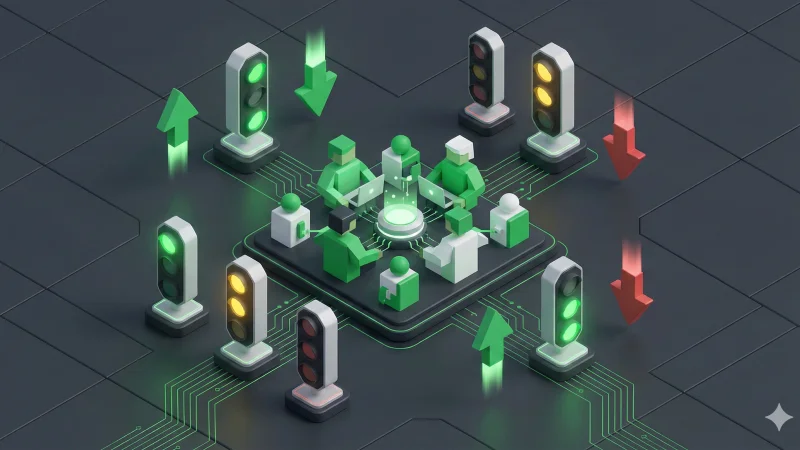
The Voting System (Traffic Lights)
For each topic, the team votes on the current status:
-
🟢 Green (Good): The team is happy with the state of this topic. It doesn’t mean it’s perfect, but no urgent change is needed.
-
🟡 Yellow (So-so): There are some issues. It’s not a disaster, but it requires attention eventually.
-
🔴 Red (Bad): This is a critical impediment. It blocks the team or severely impacts well-being. It needs immediate action.
The Trends
We also ask the team to assess the direction since the last check (or over the last 3 months):
-
⬆️ Improving: Signals are positive; things are getting better.
-
➡️ Stable: No significant change.
-
⬇️ Deteriorating: The situation is getting worse.
The 10 Topics to Evaluate
Here are the standard indicators to assess, along with examples of “Green” vs. “Red” sentiments.
📦 Easy to Release
🟢 Releasing is simple, safe, painless, and mostly automated. 🔴 Releasing is risky, painful, involves manual work, and takes forever.
👷 Suitable Process
🟢 Our way of working fits us perfectly. 🔴 Our way of working sucks; we are drowning in bureaucracy.
👍 Tech Quality (Codebase Health)
🟢 We’re proud of our code quality! It’s clean, readable, and has great test coverage. 🔴 Our code is a pile of technical debt, and we are afraid to touch it.
💍 Value
🟢 We deliver great value! We’re proud of it, and our stakeholders are happy. 🔴 We feel ashamed of what we deliver. We don’t see the value in our work.
🏎️ Speed
🟢 We get stuff done quickly. No waiting, no delays. 🔴 We never seem to finish anything. We are constantly blocked by dependencies.
🚀 Mission
🟢 We know exactly why we are here and are excited about it. 🔴 We have no idea why we are here. The big picture is unclear or uninspiring.
🥳 Fun
🟢 We love coming to work and have fun working together. 🔴 It’s boring. The atmosphere is heavy.
📚 Learning
🟢 We’re learning new things all the time! 🔴 We never have time to learn anything; we just execute.
🤝 Support
🟢 We always get great support and help when we ask for it. 🔴 We are isolated. We can’t get the help we need from other teams or leadership.
♟️ Pawns or Players
🟢 We are in control of our destiny! We decide how to build what we build. 🔴 We are just pawns in a chess game, simply executing orders with no influence.
Tools & Logistics: How to run it?
While you can use a physical whiteboard with sticky notes and markers in the office, remote or hybrid teams need digital tools.
-
Physical: Print the cards (available online), use red/yellow/green voting cards, and draw a grid on a whiteboard.
-
Digital: Tools like Miro or Mural have ready-to-use “Squad Health Check” templates. Specialized tools like Echometer or TeamRetro can also automate the data collection.
Common Pitfalls to Avoid
-
Weaponizing the data: Never use the results to compare squads against each other (e.g., “Squad A is better than Squad B because they have more green”). This destroys trust.
-
Ignoring the “Trend”: A “Red” status that is improving (⬆️) is often better than a “Yellow” status that is deteriorating (⬇️). Focus on the trajectory.
-
Trying to fix everything: Don’t try to turn all red lights green in one quarter. Pick one battle at a time.
Conclusion: Turning Data into Action
Collecting data is useless if nothing changes. To make the Health Check efficient:
-
Involve everyone: Book a 1 to 2-hour slot. Ensure the whole team is present.
-
External Facilitation: I repeat this because it is vital—use a neutral facilitator to avoid the “Hippo effect” (Highest Paid Person’s Opinion) or fear of management.
-
Regular Cadence: Do it every quarter. Consistency allows you to spot burnout or technical rot before it becomes critical.
-
Actionable Outcome: Leave the meeting with one or two key actions (not 10). Focus on the biggest “Red” item and agree on a concrete step to take before the next session.