Building and Testing REST APIs: From Theory to Production-Ready Code
In this article, I will cover the fundamentals of REST APIs. I will share a repository containing a basic example of a microservices stack (consuming and exposing REST APIs) complete with integration tests. Finally, I will share a set of best practices and principles for developers working in a team environment.
This post is based on a course I taught at Ada Tech School, an inclusive coding school in France, while working as an Engineering Manager at Swan. You can find the slides I used for this course at the end of the article.
Definitions
Regardless of the program you are writing, it almost always needs to communicate with its environment:
-
Input arguments: Passing values via the Command Line Interface (CLI), configuration keys, or file paths.
-
User Input: Prompts requiring user interaction (a classic pattern in technical interviews: e.g., “input a number, return all prime numbers smaller than X”).
-
Notifications: Sending emails upon execution completion or error detection.
-
External Data: SMS, push notifications, reading from files, or querying databases.
In the context of the web, the need for distinct programs to communicate with each other has increased sharply, leading to the standardization of interfaces.
API
API stands for Application Programming Interface. It designates the interface that allows different services to communicate, share data, and trigger functionalities.
While the term is generic, I will focus specifically on APIs using HTTP (HyperText Transfer Protocol). HTTP is the application layer protocol standard for web communication, introduced by Tim Berners-Lee at CERN in 1989. When you view this page, your browser requests its content from a server using HTTP.
Note: There are many active non-HTTP APIs, such as WebSockets (for persistent communication channels), MQTT (used by Home Assistant or Facebook Messenger), and AMQP (used by Message Brokers like RabbitMQ).
Major Players in HTTP-based APIs
While many exist, four technologies represent the vast majority of HTTP APIs used in the industry today:
-
SOAP: A protocol built on XML.
-
gRPC: A high-performance Remote Procedure Call (RPC) framework using Protobuf.
-
GraphQL: A query language allowing clients to request exactly the data they need from multiple sources in a single request.
-
REST: See below 😁.
REST
REST (REpresentational State Transfer) was introduced by Roy Fielding in 2000 in his PhD thesis as “a solution to create world-wide network-based applications”.
To be considered RESTful, an API must respect the following constraints:
-
Client-Server Model: Responsibilities are strictly separated. The client and server communicate via an interface, allowing them to evolve independently (low coupling).
-
Stateless: The server retains no session state between requests. Any necessary context (like authentication tokens) must be sent by the client with every request.
-
Cacheability: Responses must define themselves as cacheable or not, preventing clients from reusing stale or inappropriate data.
-
Uniform Interface: This simplifies and decouples the architecture via four sub-constraints:
-
Resource Identification: Resources are identified in requests using URIs. The resource itself and its representation (JSON, XML) are distinct.
-
Resource Manipulation via Representations: A client holding a representation of a resource has enough information to modify or delete it.
-
Self-Descriptive Messages: Each message includes enough information (like
Content-Type) to describe how to process the message. -
Hypermedia as the Engine of Application State (HATEOAS): The server should provide hyperlinks to other available actions and resources, allowing the client to navigate the API dynamically, much like a human navigates a website.
-
-
Layered System: The client cannot tell whether it is connected directly to the end server or an intermediary (like a load balancer or cache).
-
Code on Demand (Optional): Servers can temporarily extend client functionality by transferring executable code (e.g., scripts).
A Note on Reality vs. Theory
Most “REST” APIs in the industry take liberties with these rules, particularly HATEOAS. As Roy Fielding noted (source):
[…] if the engine of application state (and hence the API) is not being driven by hypertext, then it cannot be RESTful and cannot be a REST API […]
I apologize to Roy Fielding, but this is a liberty I personally take when building APIs, and one I will take in this article. If you want to dive deeper into strict REST compliance, check out:
Terminology Note: REST is the architectural style. An API implementing it is a RESTful API. In practice, the terms are often used interchangeably.
Trends and Popularity
Gathering usage data is difficult, so let’s look at Google Search trends to gauge interest over time.
SOAP
SOAP (originally XML-RPC, 1996) is the veteran. Search interest has remained relatively stable but low over the past 20 years.
 Interest over time for SOAP API
gRPC
gRPC (released 2016) shows a continuous increase in interest, peaking recently.
 Interest over time for gRPC
GraphQL
GraphQL (Facebook, 2012) follows a similar trend to gRPC, though with a slight dip since 2022.
 Interest over time for GraphQL
REST API
More recent than SOAP but older than the others (2000), REST has seen a massive, continuous increase in popularity, only mirroring GraphQL’s slight leveling off since 2022.
 Interest over time for REST API
Anatomy of a REST API
A REST API is typically composed of a collection of endpoints. Each endpoint is defined by an HTTP verb, a URL, optional data payload, and headers.
URL
The URL (Uniform Resource Locator) specifies the address of a resource on the internet. Example:
https://www.bigseeder.com/trees/tree1/apples?color=red&tasty=true-
Protocol:
https(secure HTTP). -
Domain:
www.bigseeder.com. -
Path:
/trees/tree1/apples. This is hierarchical. We access thetreescollection, select a specific tree (tree1), and then access itsapplesresource. -
Query Parameters:
?color=red&tasty=true. Everything after the?filters or modifies the request (detailed below).
HTTP Verbs
The HTTP verb tells the API what action to perform on the resource.
The “Big 5” Common Verbs:
-
GET: Retrieve resources. Safe and idempotent.
-
POST: Create a resource. Data is sent in the body.
-
PUT: Update a resource completely. Replaces the entire resource entity.
-
PATCH: Update a resource partially. Modifies only specific fields.
-
DELETE: Delete a resource.
Less Common Verbs:
-
HEAD: Like GET, but returns headers only (no body). Useful for checking if a resource exists.
-
OPTIONS: Returns the allowed methods/requirements for a specific resource (CORS).
-
TRACE: Loop-back test for debugging.
-
CONNECT: Establishes a tunnel (e.g., for SSL).
Tip: Check the MDN web docs for deep dives.
Headers
Headers are metadata. They don’t contain the resource itself but describe the context: format (Content-Type), authentication (Authorization), caching rules, or client info.
Data Transmission
How you send data depends on the verb and the intent.
1. Query Parameters
Used with GET for filtering, sorting, or pagination. Example: Get 10 Chartreux cats.
curl "https://api.thecatapi.com/v1/images/search?breed_ids=char&limit=10"2. Path Parameters
Used to identify a specific resource within the URL path. Example: Get image with ID 3NC7vIjMR.
https://api.thedogapi.com/v1/images/3NC7vIjMR3. Request Body (JSON)
Used with POST, PUT, PATCH. Example: Create a task in Todoist.
Bash
curl "https://api.todoist.com/rest/v2/tasks" \
    -X POST \
    --data '{"content": "Buy Milk", "project_id": "2203306141"}' \
    -H "Content-Type: application/json"
4. Form Parameters & Multipart
Used for submitting form data or uploading files. Example: Uploading a file to Slack.
curl -X POST "https://slack.com/api/files.upload" \
    -F "file=@picture.png" \
    -H "Authorization: Bearer <your_token>"
Status Codes
Every API response comes with a 3-digit integer indicating the result.
-
2xx (Success):
200 OK,201 Created. -
4xx (Client Error):
400 Bad Request,401 Unauthorized(missing auth),403 Forbidden(invalid auth/rights),404 Not Found. -
5xx (Server Error):
500 Internal Server Error,502 Bad Gateway.
A Concrete Example: The “FarmHub” Polyglot Repo
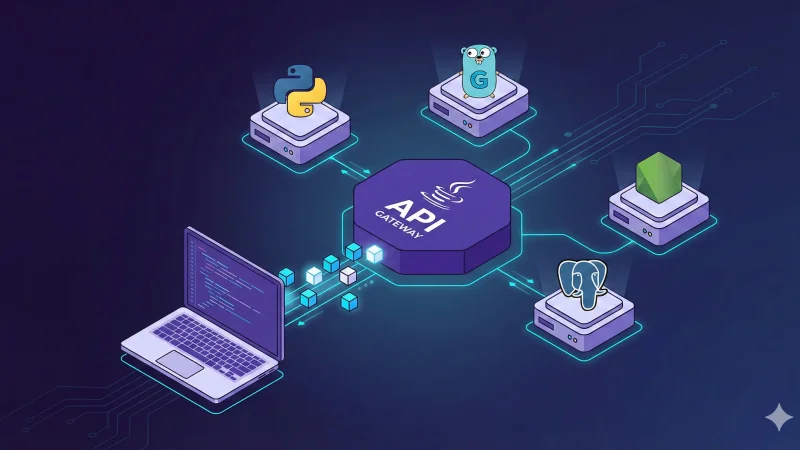
To demonstrate these concepts, I built a multi-service, multi-language project called FarmHub. Check out the repository here.
It mimics a microservices architecture where different teams might use different stacks:
-
Species Service (NodeJS/Express): Manages animal species.
-
Animals Service (PHP/Slim): Manages animals, linking them to species and farmers.
-
Pictures Service (Go/Mux): Manages image assets.
-
Farmers Service (Python/FastAPI): Manages farmer profiles.
-
Farm Service (Java/Spring Boot): The “Gateway” or Aggregator service. It consumes the other 4 APIs to expose a unified entry point.
Why this matters: This repo includes a Postman Collection and Integration Tests (using Newman). It shows how to test a distributed system effectively.
Principles for Designing Great APIs
Based on my experience as a Lead Dev and Engineering Manager, here are the golden rules for your team:
1. Specification First
Never underestimate the specification phase. Define your URLs, verbs, payloads, and especially your error cases. Scenario: If your “Get Farm” endpoint calls the “Picture” service and that service is down, what happens? Does the whole request fail (500)? Or do you return partial data with a null picture field (200)? These decisions must be made before coding.
2. Follow Standards (Don’t be “Original”)
Use standard HTTP verbs and status codes. Anti-Pattern:
// Returning a 200 OK HTTP code with this body:
{
 "error": "Server Exploded",
 "code": 500
}
This breaks monitoring tools and confuses clients. If it’s a server error, return a 500 status code. If the user sent bad data, return 400. This allows clients to know if they should retry (5xx) or fix their request (4xx).
3. Keep Stacks Consistent (If possible)
While my example repo is “polyglot” for educational purposes, in a real startup, avoid mixing 5 different languages. It increases cognitive load and integration friction.
4. Single Responsibility Principle
An endpoint should do one thing. Don’t make a GET /users endpoint also trigger a billing process or a massive analytics write. Side effects make APIs unpredictable and hard to test.
5. Only Return What is Needed
Avoid “future-proofing” your payloads by adding data “just in case.” It bloats network traffic and database load. If you need analytics, use a dedicated analytics tool/endpoint, don’t piggyback on your operational API.
Wrap-up
REST APIs are the backbone of the modern web. Understanding the anatomy of a request (Verb, URL, Header, Body) and the constraints of the architecture is crucial for any developer.
Check out the FarmHub Repository to see code in action, run the tests, and explore how 5 different languages can speak the same HTTP language.